ADVERTISEMENT

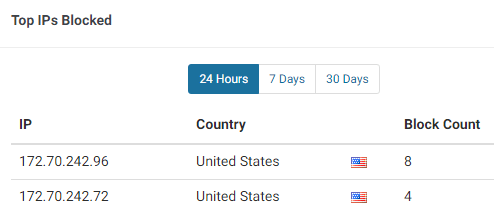
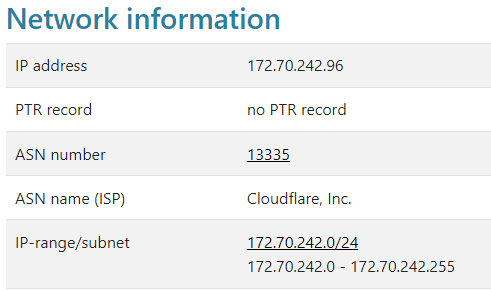
You might be looking at your Wordfence’s Top IPs Blocked list and decided to do a lookup of the IP addresses and found out that it’s from Cloudflare:
Wordfence’s WordPress plugin helps protect your website from hackers, malwares & brute force attacks where it acts as a firewall between the website and it’s visitor.
Sometimes it might even block Content Delivery Network (CDN) IPs because of the amount of requests the network sends. In that case, we will have to add Cloudflare’s IPs to Wordfence’s Whitelist.
Step 1: Get the list of IPv4 and IPv6 IP’s from Cloudflare:
https://www.cloudflare.com/ips-v4
https://www.cloudflare.com/ips-v6
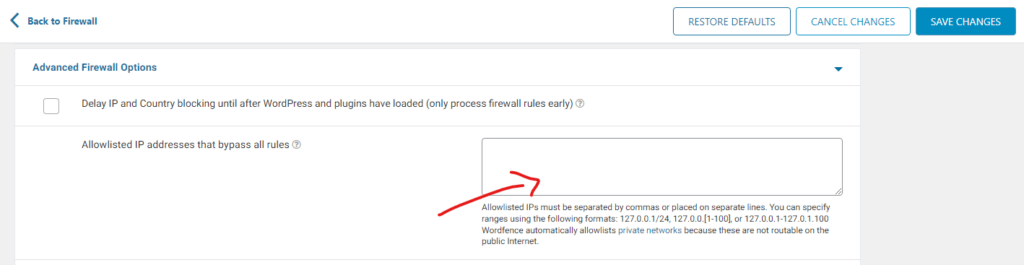
Step 2: Navigate to Wordfence on your Admin Dashboard and click on it followed by Firewall and finally the “Advanced Firewall Options” option:

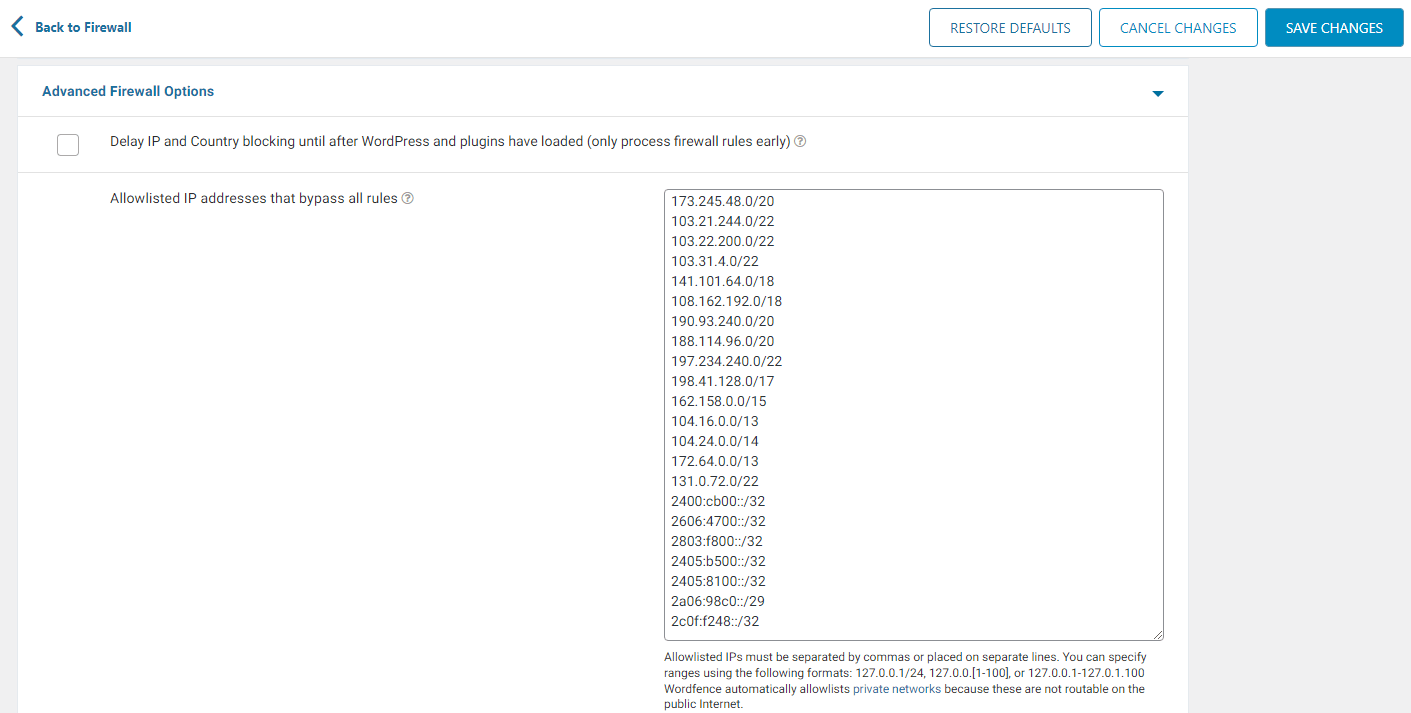
Step 3: Now paste the IPs from Cloudflare and click on “Save Changes”
Here’s how it looks like when you have pasted all of Cloudflare’s IPv4 and IPv6 IP ranges:
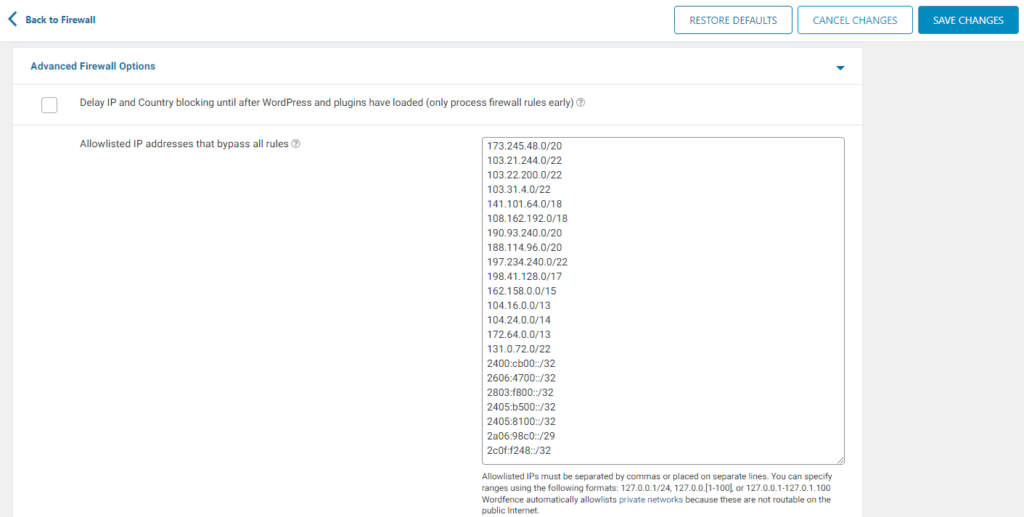
It should start to work out but if you are still experiencing blocks, you might want to try to Purge your Page Cache and maybe Cloudflare’s page too.


