ADVERTISEMENT

When you feel your Windows PC is suddenly slowing down and decided to open the Task Manager only to find out that the CPU usage is suspiciously high when you are not doing anything and you see that Window’s Antimalware Service Executable is utilizing an high amount of CPU usage. Here’s how you can fix the bug:
Turn off Windows Defender Scheduling
If you decide to turn off the Windows Defender Scheduling, make sure you re-schedule it to a time where you are not using the computer most or simply perform the scans manually frequently.
Here’s how you turn it off:
Step 1: Press the Windows/Start icon to search and type in “task scheduler” and select Task Scheduler or click “Open” on the right results.

Step 2: Once the Task Scheduler is launched, expand the navigation pane on the left in the following order: Task Scheduler Library > Microsoft > Windows > Windows Defender
Step 3: In the Windows Defender folder, double click on Windows Defender Scheduled Scan item:
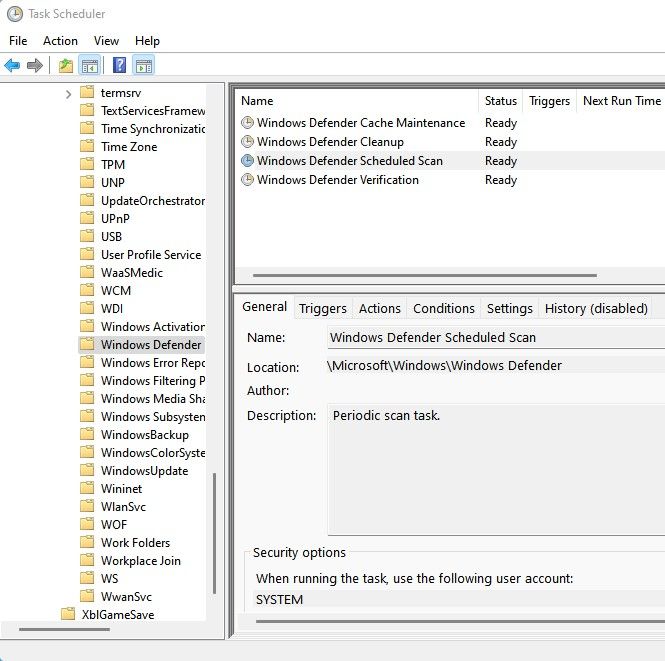
Step 4: Select the Conditions tab and uncheck all options and click on the OK button. Once this is done, all scheduled scans are removed.

Now with scheduled scans disabled, please remember to perform manual scans frequently to protect your PC against viruses and malwares.


