ADVERTISEMENT

Optimizing the MTU to the right size can improve the network stability and fragmentation leading to a more stable connection. A simple way to do this is through a ping test.
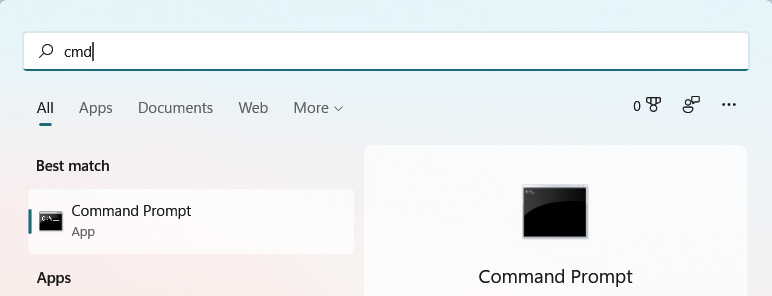
Step 1: Press the Windows button on the taskbar or keyboard and type in “cmd” and click on the Command Prompt app to launch.

Step 2: Once the Command Prompt app is launched, type or paste this command and press Enter:
ping www.google.com -f -l 1492
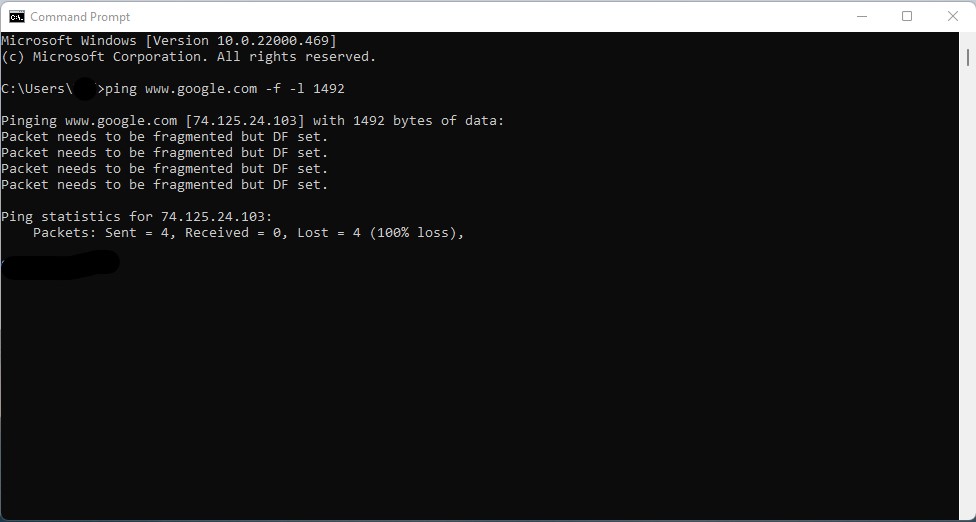
The result “Packet needs to be fragmented but DF set.” means that the packet needs to be fragmented.
Step 3: Start to decrease the MTU size from the above 1492 by 10 to 1482 or 1472 until you get a ping result instead of “Packet needs to be fragmented but DF set.

Step 4: Once you see ping result similar to above, key in the optimal MTU 1472 into your router settings. If you want to optimize it further, you can try to increase the MTU size from 1472 to 1475 or something similar to see if it will still ping.


